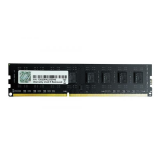
৳0.00
৳0.00 
 0
0

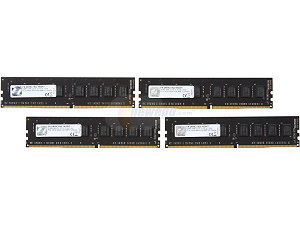

N.B. Image may vary with product
Boost Your Desktop's Performance:
Upgrade your desktop with 8GB of DDR3 memory running at a tested speed of 1600MHz. This RAM module will improve your PC's overall performance, making everyday tasks and multitasking smoother and more responsive.
Single Channel Kit for Simplicity:
This RAM module comes as a single-channel kit, making it easy to install in systems with only one RAM slot or for those looking to expand their memory in a straightforward manner.
Intel XMP Ready:
With Intel XMP support, you can easily enable the memory's extreme memory profile in your BIOS, optimizing your RAM's performance without manual configuration.
Reliable and Affordable:
The G.Skill NT-Series RAM is unbuffered and non-ECC, providing reliable performance for budget-conscious users. It's a cost-effective solution for improving your PC's capabilities.
1-Year Warranty:
Enjoy peace of mind with a 1-year warranty, ensuring the quality and reliability of your G.Skill NT-Series RAM.
The latest price of G.Skill NT-Series 8GB Desktop 1600MHz DDR3 RAM in Bangladesh is 4,500৳. You can buy the G.Skill NT-Series 8GB Desktop 1600MHz DDR3 RAM, at the best price from our website or visit your nearest Binary Logic showroom. Follow us on Facebook For Regular updates & offers.
Certainly, here's a table specification based on the provided information for the DDR3 RAM module:
| Specification | Details |
|---|---|
| Series | Value |
| Memory Type | DDR3 |
| Capacity | 8GB (8GBx1) |
| Multi-Channel Kit | Single Channel Kit |
| Tested Speed | 1600MHz |
| Tested Latency | 11-11-11-28-2N |
| Tested Voltage | 1.50V |
| Registered/Unbuffered | Unbuffered |
| Error Checking | Non-ECC |
| SPD Speed (Default) | 1333MHz |
| SPD Voltage (Default) | 1.50V |
| Fan Included | No |
| Warranty | 1 year |
| Features | Intel XMP (Extreme Memory Profile) Ready |
Q: Is this RAM module compatible with my desktop PC?
A: This RAM module is compatible with desktop systems that support DDR3 memory. Ensure that your motherboard has an available DDR3 RAM slot.
Q: Can I use this RAM module in a dual-channel configuration?
A: While this RAM module is sold as a single-channel kit, you can use multiple modules in dual or quad-channel configurations if your motherboard supports it.
Q: How do I enable Intel XMP in my BIOS?
A: To enable Intel XMP, enter your motherboard's BIOS settings and look for the XMP or Extreme Memory Profile option. Enable it, save the settings, and reboot your to apply the optimized RAM settings.