 ৳0.00

 0
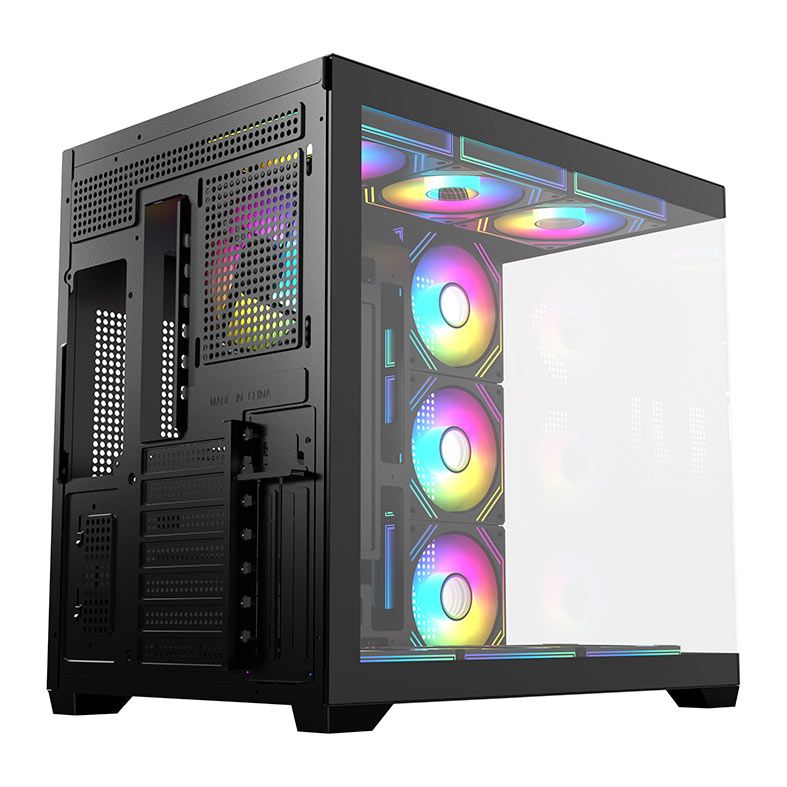
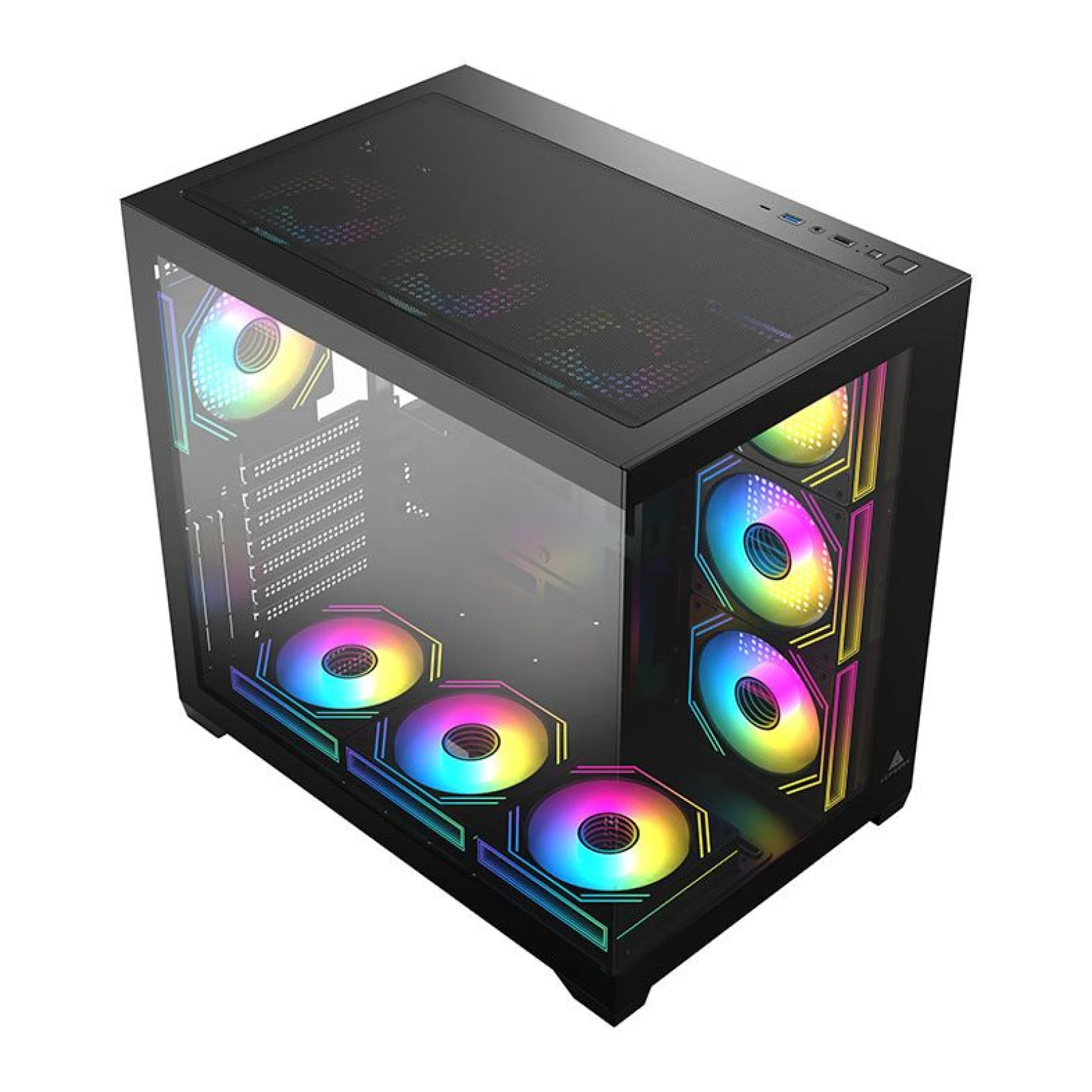
N.B. Image may vary with product
Discover the ACEGEEK Omniview Black Mid Tower Gaming Case, designed for stylish gaming PC builds. Explore its features and find the right gaming casing for your setup.
The ACEGEEK Omniview Black Mid Tower Gaming Case is an excellent choice for building a stylish and customizable gaming PC. Featuring a sleek black design, dual tempered glass side panels, and flexible cooling support, this gaming PC case combines modern aesthetics with practical functionality. It supports ATX, Micro-ATX, and Mini-ITX motherboards, making it suitable for various custom PC builds.
The ACEGEEK Omniview Black Gaming Case supports graphics cards up to 400 mm in length and CPU coolers up to 175 mm in height. It offers multiple fan mounting options on the side, top, rear, and bottom, along with radiator support up to 360 mm at the top. These flexible cooling options allow users to customize their gaming PC cooling configuration according to their requirements.
Built with ABS, mesh, and tempered glass, the ACEGEEK Omniview Mid Tower Case features tempered glass panels on two sides to showcase your PC components. Its front I/O panel includes 2 × USB 3.0 ports and 1 × USB-C port for convenient connectivity. The case also supports one 3.5-inch HDD and two 2.5-inch SSDs, providing practical storage options for your gaming setup.
With 20 mm of cable management space, the ACEGEEK Omniview Black Case helps keep your PC build organized. Top and bottom dust filters help reduce dust accumulation inside the case. Its seven expansion slots provide additional flexibility for compatible PC components.
| General | |
|---|---|
| Model | ACEGEEK Omniview Black (AG-OMNIVIEW-BK) |
| Case Type | Mid-Tower |
| Color | Black |
| Material | ABS, mesh, and tempered glass |
| Included Fans | None |
| Motherboard & Expansion | |
| Motherboard Support | ATX, Micro-ATX, Mini-ITX |
| Expansion Slots | 7 |
| Clearance & Dimensions | |
| Maximum Graphics Card Length | 400 mm |
| Maximum CPU Cooler Height | 175 mm* |
| Maximum Power Supply Length | 190 mm |
| Dimensions | 420 × 285 × 400 mm* |
| Cable Management Space | 20 mm |
| Storage | |
| Drive Bays | 1 × 3.5-inch HDD and 2 × 2.5-inch SSD |
| Fan Support | |
| Side | 3 × 120 mm or 2 × 140 mm |
| Top | 3 × 120 mm or 2 × 140 mm |
| Rear | 1 × 120 mm |
| Bottom | 3 × 120 mm or 2 × 140 mm |
| Radiator Support | |
| Side | 240 mm or 280 mm |
| Top | 280 mm or 360 mm |
| Front I/O | |
| Ports | 2 × USB 3.0 and 1 × USB-C |
| Other Features | |
| Side Panels | Tempered glass on two sides |
| Dust Filters | Top and bottom |
1. Which motherboards are compatible with the ACEGEEK Omniview Black Mid Tower Gaming Case?
It supports ATX, Micro-ATX, and Mini-ITX motherboards.
2. What is the maximum GPU length supported by this gaming case?
The case supports graphics cards up to 400 mm in length.
3. Does the ACEGEEK Omniview Black Gaming Case fans?
No, fans are not included and must be purchased separately.
4. What radiator sizes does the ACEGEEK Omniview support?
It supports 240 mm or 280 mm radiators on the side and 280 mm or 360 mm radiators at the top.
5. What connectivity ports are available on this PC case?
It features 2 × USB 3.0 ports and 1 × USB-C port.
6. How many storage drives can the ACEGEEK Omniview Black Case accommodate?
It supports 1 × 3.5-inch HDD and 2 × 2.5-inch SSDs.
7. Does the ACEGEEK Omniview Gaming Case have dust filters?
Yes, it includes dust filters at the top and bottom to help reduce dust buildup.


